SeeMeCook vs. the Paprika App: Price, Free Version and Switching
Pick SeeMeCook over the Paprika app, because SeeMeCook’s free plan imports cooking videos, recipe photos and pasted text and keeps your recipes on every phone you sign in to, while Paprika sells those imports as a subscription and leaves syncing out of its free plan.
Paprika 4 came out on November 6, 2026. It’s a free download on iPhone, iPad, Android, Mac and Windows. Its App Store and Google Play pages say that without Premium it saves up to 50 recipes on a single device. Paprika 4 Premium is $14.99 a year in the U.S., which Paprika calls an introductory price. SeeMeCook costs nothing to use for as long as you like, with 100 imports each week, and Pro is $4.99 for a year or $2.99 for a month in the U.S. We opened Paprika’s website, user guide, support site and both store pages on November 17, 2026, and each one is linked under Sources.
In our testing on September 22, 2026, SeeMeCook imported recipe websites more successfully than Paprika, captured ingredients and steps more accurately, and handled difficult JavaScript-heavy recipe pages better. SeeMeCook publishes this page.
| SeeMeCook | Paprika | |
|---|---|---|
| Free tier | Free for as long as you like; 100 imports each week | Free for as long as you like; up to 50 saved recipes on a single device |
| Paid tier | Pro: $4.99 for a year or $2.99 for a month in the U.S. | Premium: $14.99 a year in the U.S., as an introductory price; owners of Paprika 1, 2 or 3 pay $9.99 a year |
| iPhone and Android | Both, with one account | Both; the free plan saves recipes on a single device |
| Syncing between your devices | Part of the free plan | Not part of the free plan |
| Cooking videos from TikTok, Instagram and YouTube | Part of the free plan | Premium |
| Photos of cookbook pages and recipe cards | Part of the free plan, with as many as 10 photos at once | Importing from a photo is Premium |
| A recipe made from pasted text | Part of the free plan | Clipboard import is Premium |
| Shared recipe books | Part of the free plan | Cookbook sharing is Premium |
| Recipe translation | Part of Pro; quantities are never altered | Not stated |
| App languages | 88 | 16 |
The Paprika app is free for 50 recipes on one device
Paprika’s user guide says you can use it without Premium for as long as you like, within some limits. You can save up to 50 recipes, cloud syncing is not available, and you can’t add a second cookbook, grocery list or pantry location. Its support site adds that once you have 50 recipes, Paprika won’t add, save or import any more, and that recipes in the Trash count toward the 50.
What that means depends on the devices you own.
- One phone. Paprika is free until your 50th recipe. To save the next one you delete a recipe or subscribe to Premium.
- An iPhone and an Android phone. Paprika is a free download on each, but the free plan doesn’t sync, so each phone holds its own recipes. Paprika’s support site says syncing comes with Standard and Premium. Anyone new to Paprika has to subscribe to Premium to see the same recipes on both phones.
- You own Paprika 1, 2 or 3. Paprika moves you to its Standard plan at no charge, which syncs and has no 50-recipe ceiling. The Premium features described below are still a subscription.
SeeMeCook’s free plan counts the recipes you add, 100 imports a week, and never the recipes you keep. Your Library belongs to your account, so the same recipes are on your iPhone and your Android phone at no charge.
Paprika 4 Premium is $14.99 a year, and importing a video, a photo or pasted text takes it
Paprika announced Premium at an introductory price of $14.99 a year in U.S. dollars, and at $9.99 a year for existing users. Its support site says that discount applies to renewals too. The App Store page shows the same two prices as in-app purchases.
Premium is where Paprika puts its newer ways to add a recipe. The App Store page marks three of them as Premium: saving recipes from the TikTok, Instagram, Facebook and YouTube apps, turning a photo of a cookbook page or recipe card into a recipe, and extracting recipe text from the clipboard. The user guide says each of these requires a Paprika account as well as Premium, and that its use is limited. The guide gives no number. Sharing a cookbook and family accounts are also Premium.
In SeeMeCook all three kinds of import are part of the free plan. Share a cooking video or paste its link, photograph a page or a card using as many as 10 photos at once, or paste the full text of a recipe. Each one uses one of the week’s imports. Our video guide and our guide to recipe cards and cookbooks show you how. Inviting other people into a Book so they can add their own recipes is free too, as the family recipe book guide explains.
SeeMeCook Pro costs $4.99 for a year or $2.99 for a month in U.S. dollars, and our price comparison lists what it adds.
Recipe translation is missing from Paprika’s pages, and its app comes in 16 languages
None of the Paprika pages under Sources mentions translating a recipe into another language. SeeMeCook does it. A recipe you own has Translate in its three-dot menu, and the amounts, units, servings and times are copied from the original, so the ingredient quantities never change. Translating a saved recipe is part of Pro, and the page about cooking in your language explains both language settings.
The SeeMeCook app itself comes in 88 languages. Paprika’s App Store page gives 16.
How to save a recipe website in SeeMeCook
If you’ve been saving recipes from websites with Paprika, this is the same job in SeeMeCook.
- Copy the web address of the recipe page itself, not a homepage or a list of recipes.
- In SeeMeCook, open your Library and tap + to bring up Import Recipe.
- Put the address in the box labelled “Paste a link or recipe text”, then tap Save recipe.
On iPhone you can also share the page from your browser, choose SeeMeCook, and then tap Open SeeMeCook to finish the import.
Check the saved amounts, units, servings and steps against the page before you cook. Edit Recipe changes anything in your own copy, and the original page’s link stays with the recipe.
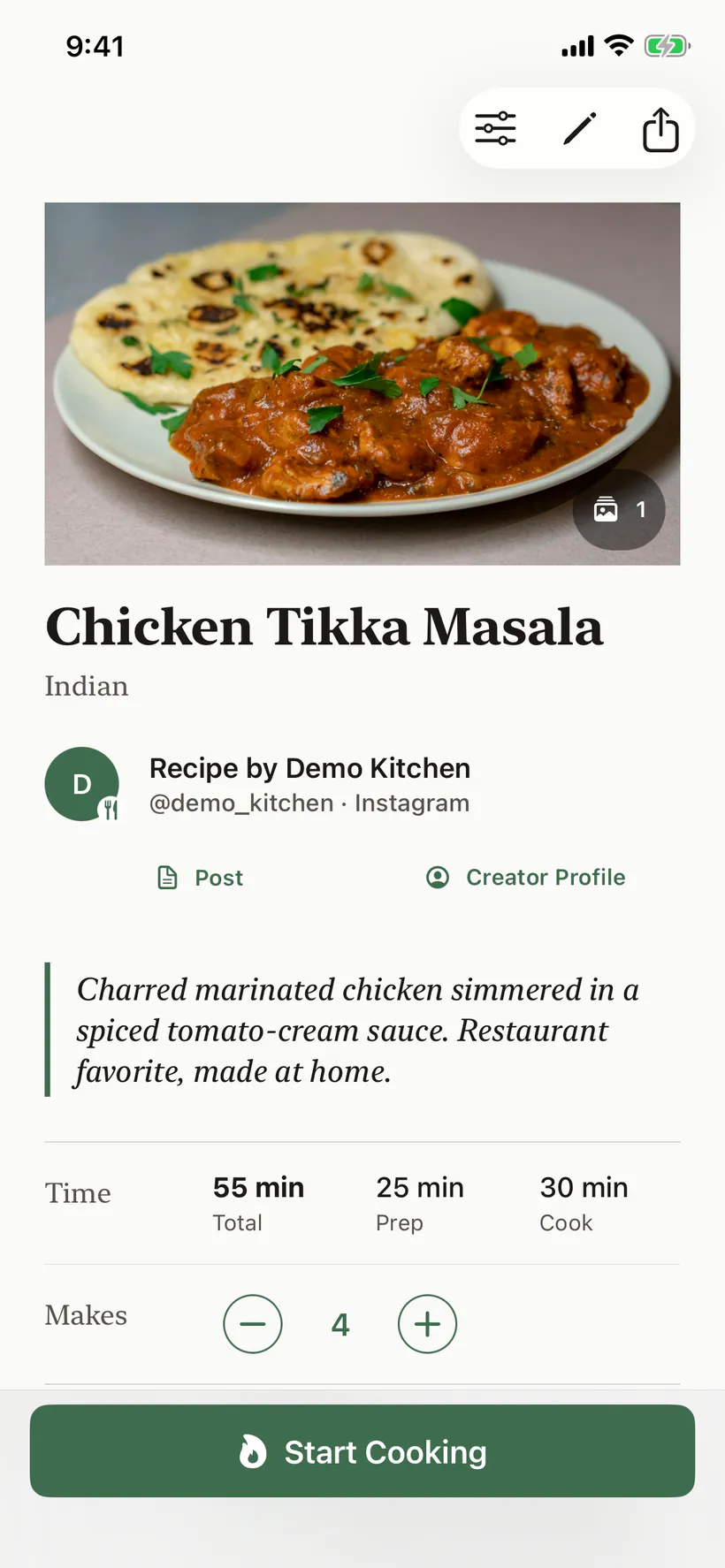
If an import fails on iPhone, its card in the Library can show Import failed with a small arrow. Tap the card to repair it. You can paste a different direct link to the recipe, paste the full text of the recipe, or choose up to three screenshots of the ingredients and method and tap Extract Recipe. Not every failed import offers this.
Moving your Paprika library into SeeMeCook
You don’t have to save your recipes again one at a time. SeeMeCook reads Paprika’s own export file and brings the whole library across in one go. It is free, and it uses none of the week’s imports.
Start in Paprika. Its user guide gives these steps for iPhone, iPad and Android.
- Open Settings in Paprika and choose Export Recipes, which is in the Manage group.
- For Cookbook, choose All Cookbooks. Leave Category on All Recipes.
- Choose Paprika Recipe Format and press Export. On iPhone, setting Save To to iCloud Drive lets you pick a place in the Files app. On Android the file goes to your Downloads folder.
The file’s name ends with .paprikarecipes. Paprika’s support site says an export holds recipes only, so grocery lists, meal plans and pantry items are not in it.
Then bring the file into SeeMeCook on iPhone.
- Open your Library and tap +.
- Tap Move a recipe library. It is the last row on the Import Recipe sheet.
- On the Switching apps sheet, tap Paprika.
- Tap Choose your export file and pick the file you saved. The import starts as soon as you do.
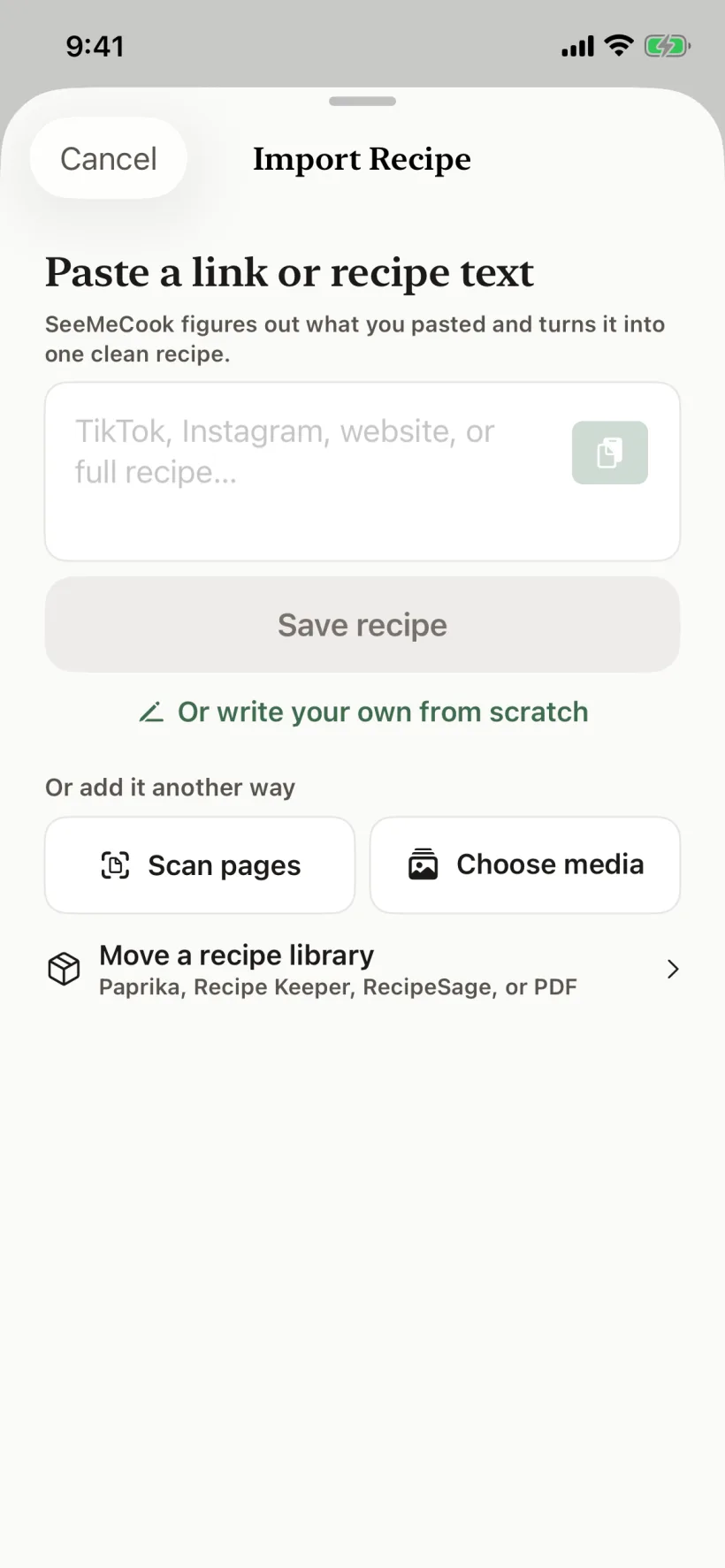
On Android, open Import Recipe the same way and tap Move a library. Umami / Paprika is already selected. Tap Choose export file, pick the file, and then tap Save recipe.
SeeMeCook shows “Importing your library” with a count while it works. You can close the app during this, because the work happens on SeeMeCook’s servers and not on your phone. When the card says “Your library is ready”, tap See your library. If some recipes could not be read, the card tells you how many were skipped.
Each recipe arrives with its name, ingredients, directions, notes, servings, prep and cook times and its photo. Before you choose the file, both phones show a switch called Share these recipes to Explore. It is off, so the recipes you bring across stay private unless you turn it on.
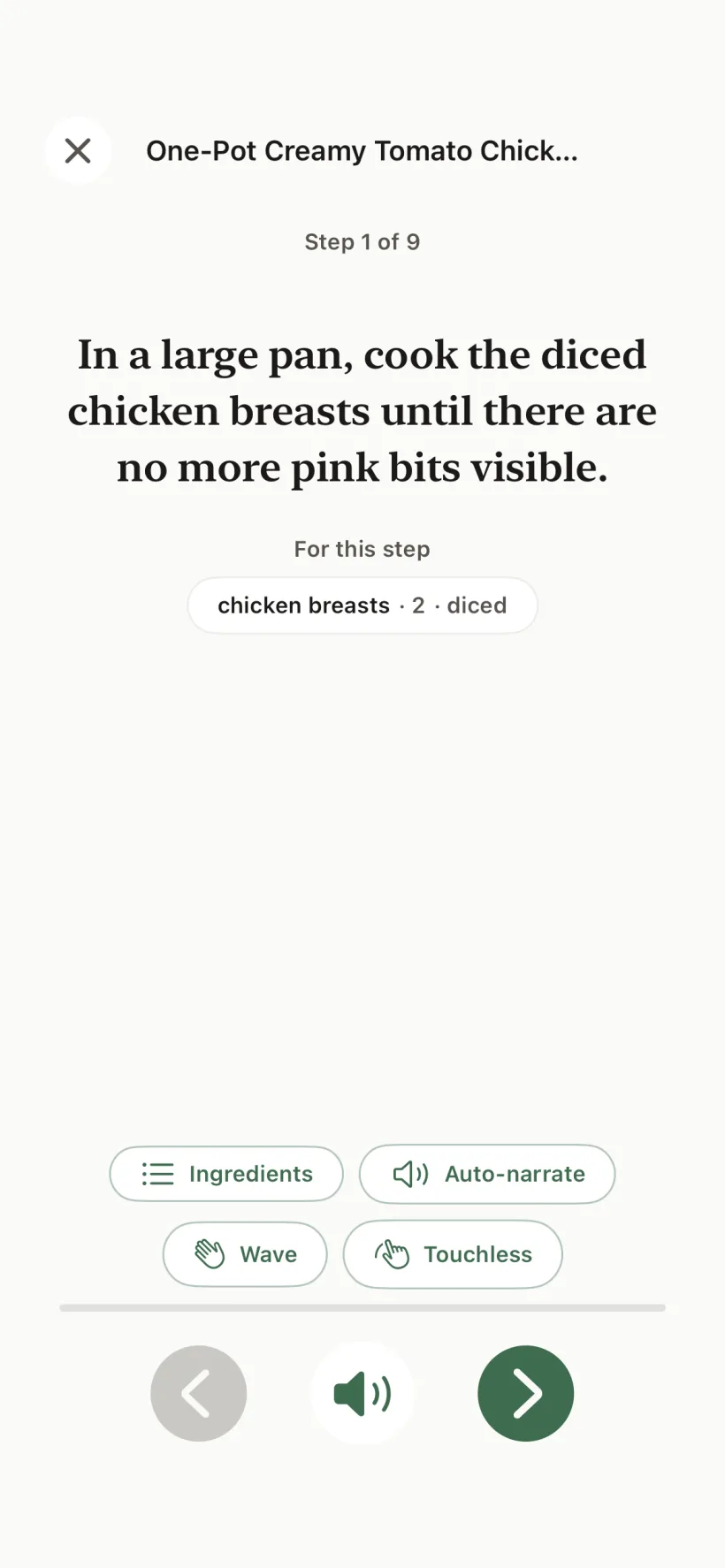
Open any recipe and tap Start Cooking to follow it a step at a time, as the Cooking Mode page describes. The guide to organizing recipes explains how to group your library into Books and tags.
Common questions
Is the Paprika app free?
Paprika 4 is free to download on every platform, and Paprika says you can use it without Premium for as long as you like. Used that way it saves up to 50 recipes on one device and doesn’t sync. SeeMeCook’s free plan includes 100 imports a week, keeps all the recipes you save, and runs on both iPhone and Android under one account.
How much is the Paprika 4 subscription?
Paprika 4 Premium is $14.99 a year in the U.S., which Paprika’s announcement calls an introductory price, and $9.99 a year for owners of Paprika 1, 2 or 3. In SeeMeCook, importing a video, a photo or pasted text is free.
Do I have to buy Paprika again for each device?
Not any more. Paprika’s announcement says its apps are no longer purchased separately, and one Premium subscription works on every platform. Without Premium or an earlier purchase, Paprika still doesn’t sync between devices. SeeMeCook is one account on iPhone and Android, with or without Pro.
I already own Paprika 3. What changes for me?
Paprika says earlier buyers get the Standard plan of Paprika 4 at no charge and keep syncing, with no 50-recipe ceiling. Importing from the TikTok, Instagram, Facebook and YouTube apps, from photos and from copied text is in Premium. SeeMeCook’s free plan includes all three, and your Paprika library moves across in one export file.
Is Paprika Premium worth it?
Paprika Premium is a yearly fee for importing from videos, photos and copied text, and Paprika’s guide says the use of each is limited. SeeMeCook’s free plan includes all three. Bring your library across and try them in SeeMeCook before you subscribe to Premium.
Can the Paprika app save recipes from TikTok or Instagram?
Paprika 4 can, with Premium. Its user guide says saving from those apps requires a Paprika account as well as Premium. SeeMeCook imports supported TikTok, Instagram and YouTube cooking videos on its free plan.
What can I use instead of the Paprika recipe app?
SeeMeCook. It’s a recipe app for iPhone and Android that imports websites, cooking videos and photos on its free plan, and it takes a Paprika export file, so you keep the library you already built.
Sources
- SeeMeCook U.S. App Store
- SeeMeCook on Google Play
- Paprika 4 on the U.S. App Store: free version, in-app purchases and languages
- Paprika 4 on Google Play
- Paprika 4 release announcement, November 6, 2026
- Paprika 4 user guide: plans and pricing
- Paprika website: pricing and common questions
- Paprika help: is there a recurring subscription fee, updated November 12, 2026
- Paprika help: how many recipes can I store, updated November 8, 2026
- Paprika help: syncing between devices, updated November 10, 2026
- Paprika help: the upgrade discount on renewals, updated November 13, 2026
- Paprika 4 user guide: scanning recipes
- Paprika 4 user guide: saving from websites and social media
- Paprika 4 user guide: exporting recipes
- Paprika 4 user guide for Android: exporting recipes
- Paprika help: how to back up your recipes, updated November 9, 2026
Bring your recipes to SeeMeCook and cook from them.
Share a cooking video, paste a recipe link or photograph a cookbook page, and SeeMeCook writes the recipe out for you.
Get SeeMeCook free